
.png?width=636&height=169&name=Logo_full_color%20(3).png "WinRed.com")
Today, the new WinRed Portal is officially live for every user. It brings together the features users have asked for most, from live visual editing to a more customizable workspace, so your team can spend less time managing pages and more time raising money and winning races.
We rebuilt the WinRed Portal from the ground up with two types of users in mind: new users who need a platform they can easily understand, and existing users who need a faster, smarter experience to scale their operation.
Here are the highlights.
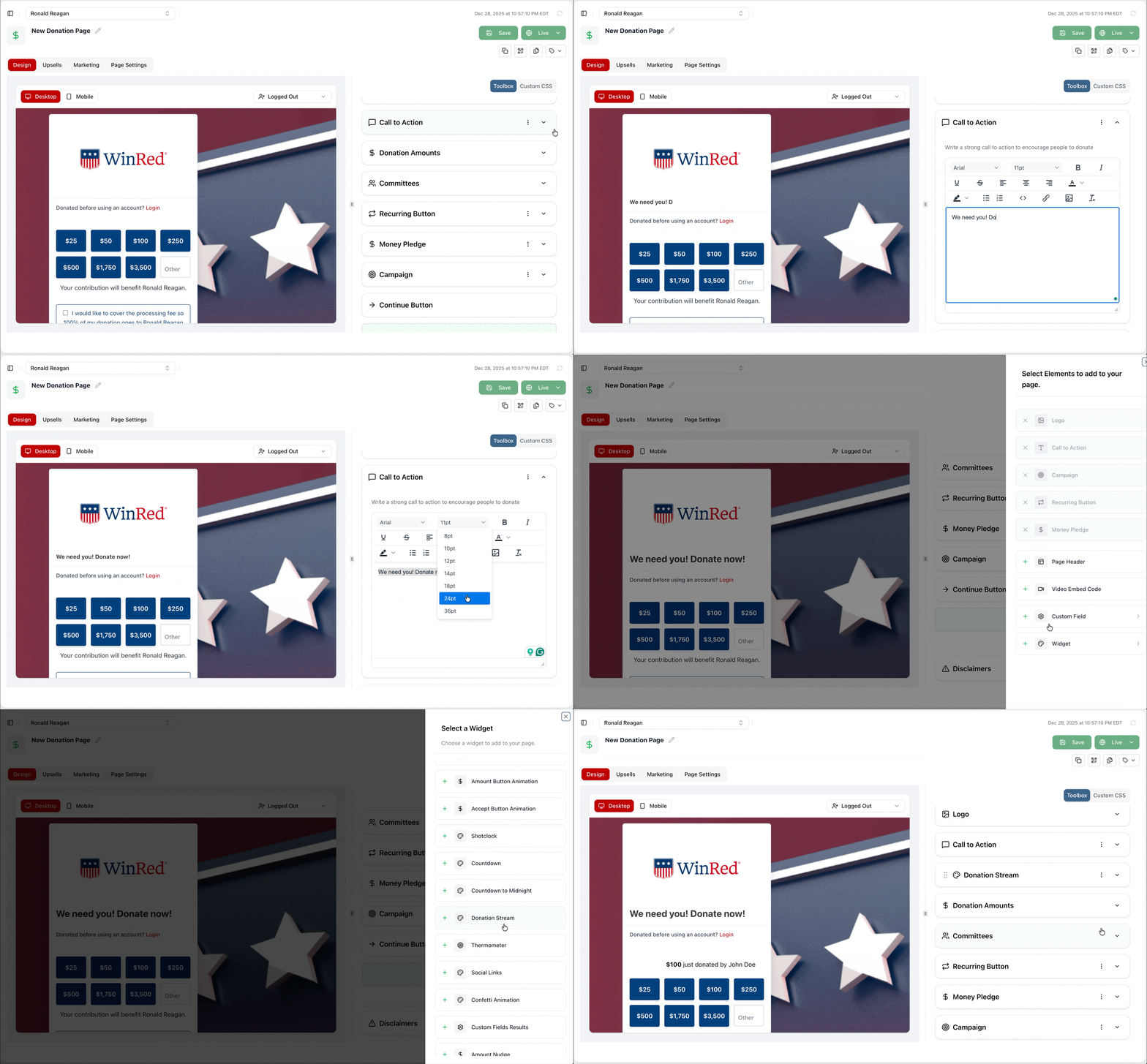
Visual Page Editor
See your page edits as you make them, right on the same screen. No more clicking Save and waiting to check a separate tab. Build and preview your page at the same time, so what you see is what you get.
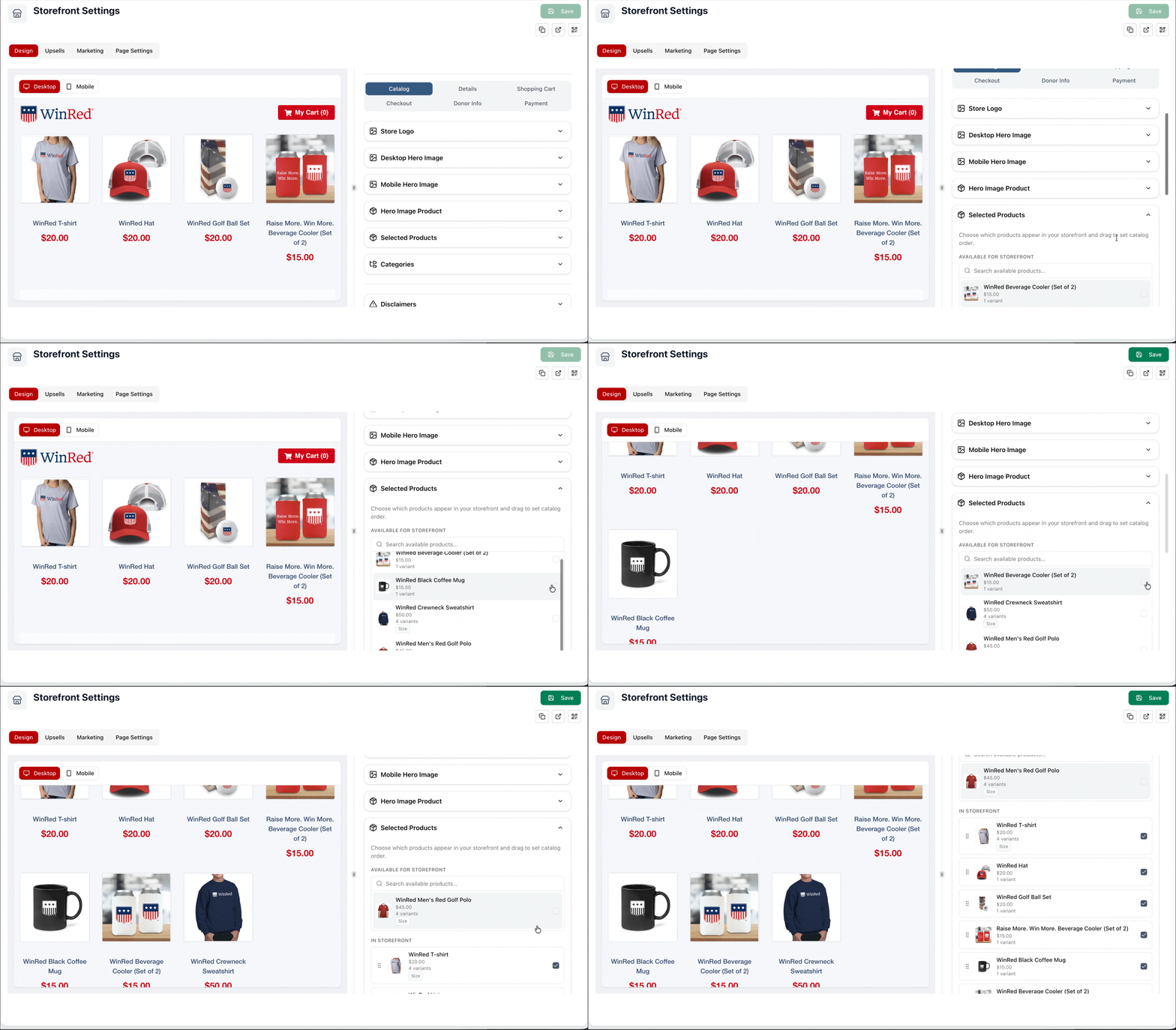
Visual Storefront Editor
Your storefront gets the same real-time treatment. Build and customize your storefront with a live preview, so you can see exactly how your merchandise and products will look before you publish.
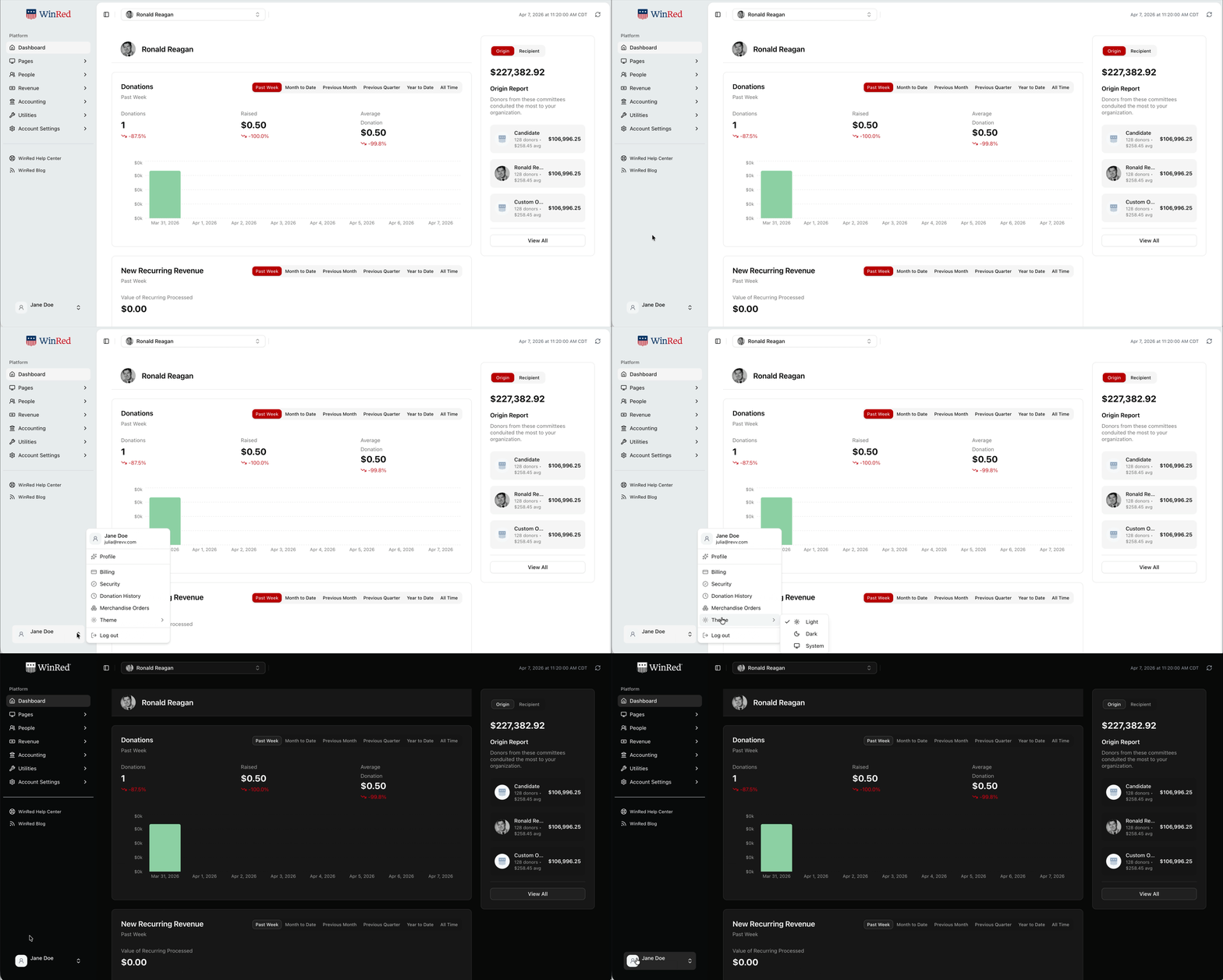
Dark Mode
Personalize your Portal the way you would your X, Facebook, or other social media account. Turn on Dark Mode from your profile for an easier look on the eyes, day or night.
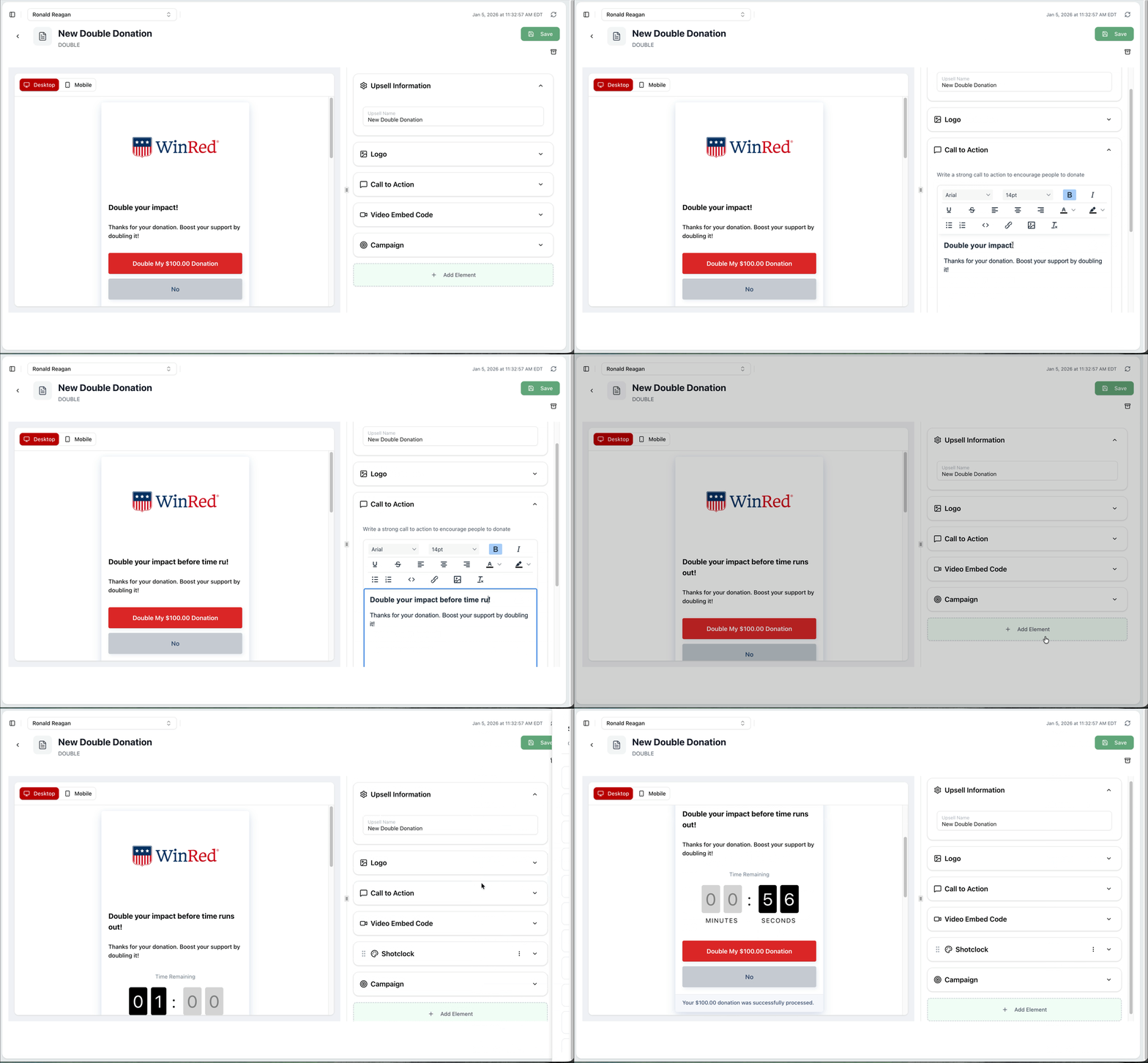
Upsell Visual Editor
Build and customize your upsells with the same real time preview you get in the Page Builder. Watch your changes take shape as you make them.
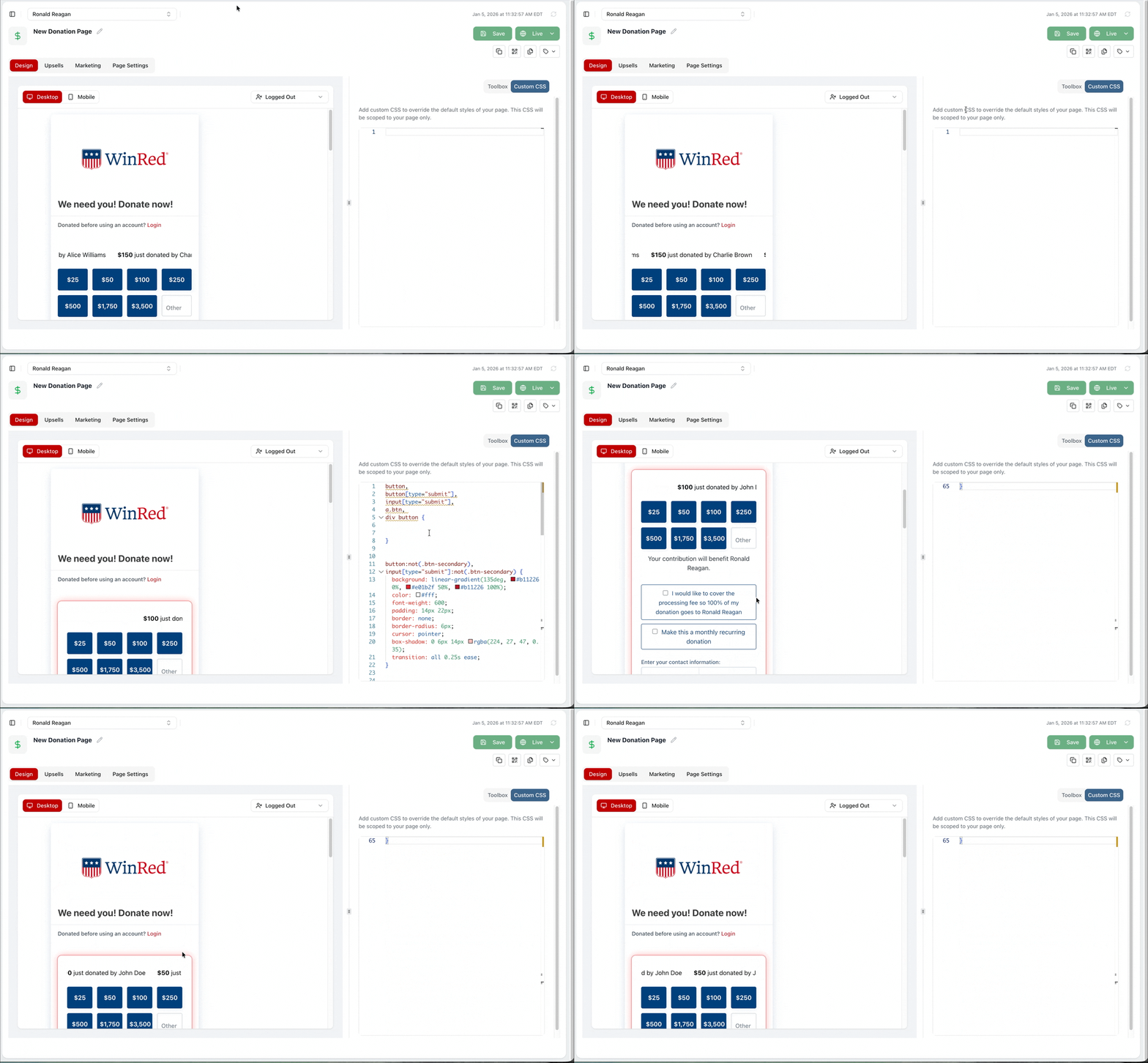
CSS Editor
CSS is the code that further enhances a page's design, from fonts and colors to spacing and layout.
Fundraising teams keep pushing more complex design code into their WinRed pages, so we gave them a bigger canvas to work with. Write your CSS and see the results update instantly.
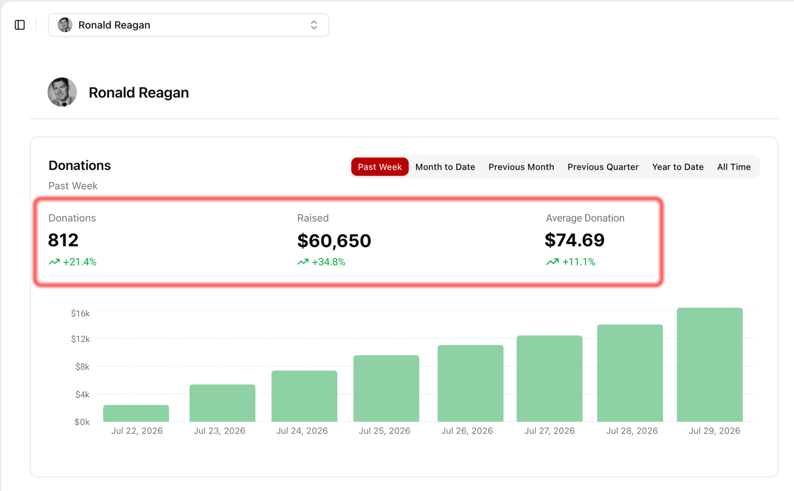
Dashboard Progress Stats
Your dashboard tab now shows your account's donation data at a glance, including a trend number that tracks the percent change from the previous period.
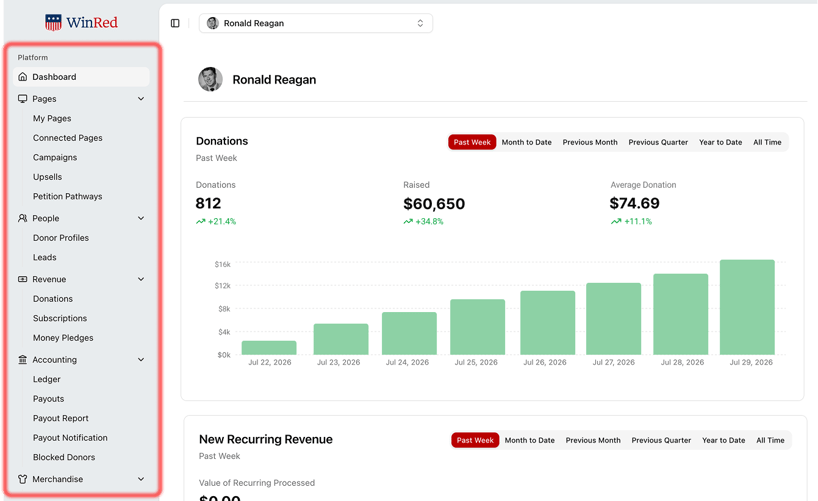
Your Tabs Have a New Home
Your tabs now live on the left side of your screen instead of across the top. This gives you more workspace to build pages, review reports, and manage your account.
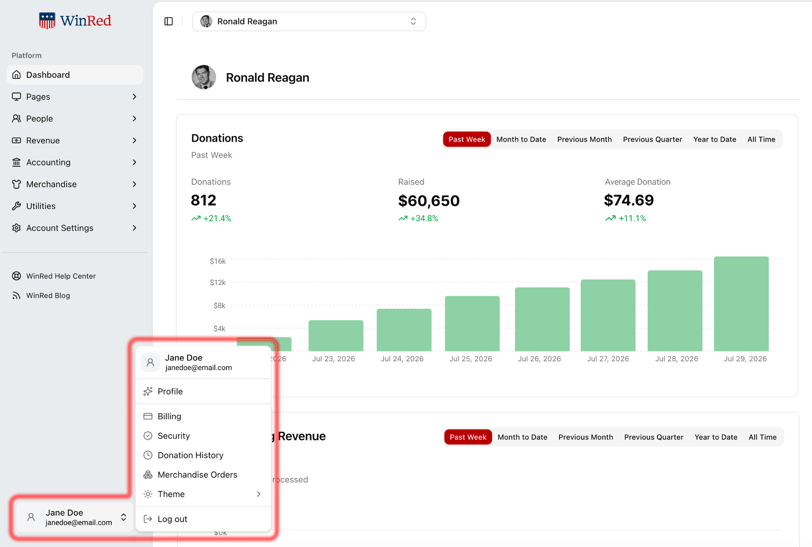
Your Profile, One Click Away
Your profile now lives in the bottom corner of the Portal. Click it to find your personal profile information, your password and two factor authentication settings, and the new Dark Mode option.
Switching Between Accounts
Agencies, vendors, compliance users, and anyone else managing more than one WinRed account know the drill of jumping between organizations throughout the day.
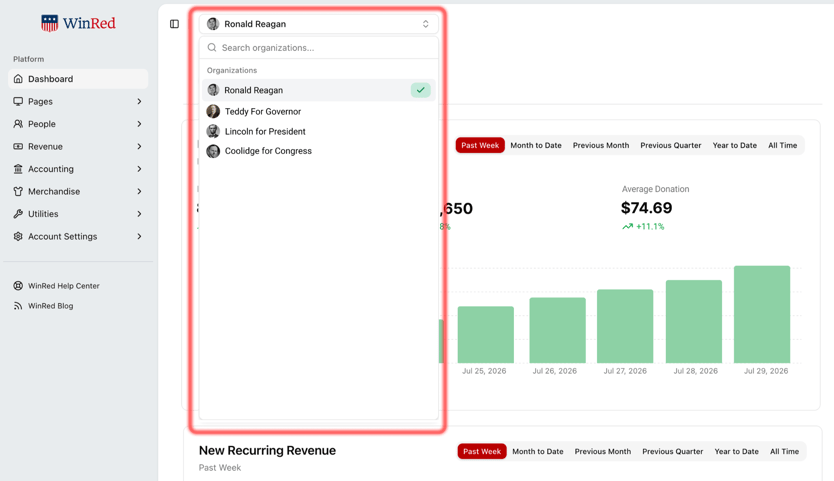
Switching between them looks different now. The old slide-out panel on the right is gone, which also gives you more room to work. Now you switch accounts with a simple drop-down at the top of your screen.
Log in to your WinRed account at beta-portal.winred.com to see the new Portal for yourself. If you have any questions along the way, reach out to our support team at support@winred.com.
Frequently Asked Questions
How do I log in to the new Portal? Head to beta-portal.winred.com and sign in with the same credentials you already use for your WinRed account. No new login required.
Will I lose any of my pages, upsells, or storefront setup? No. Everything you've already built carries over as-is. The redesign changes how the Portal looks and works, not the content already in your account.
Is Dark Mode on by default? No. Dark Mode is off by default. Turn it on anytime from your profile in the bottom corner of the Portal.
Does the new Portal cost extra? No. All of these updates, including the redesign and every new feature, come standard with your WinRed account at no additional cost.